In recent years, ChatGPT has rapidly grown in popularity as a powerful AI assistant that helps with writing, brainstorming, research, coding, conversation, and many more tasks. But many people still ask: how to use ChatGPT effectively, what is ChatGPT used for, and even how much water does ChatGPT use when running behind the scenes. In this guide, we’ll cover everything you need to know: from getting started, crafting good prompts, real use cases, to environmental impact and water usage.

How to Use ChatGPT: A Step-by-Step Guide
Here is a structured, step-by-step guide on how to use ChatGPT effectively, especially for beginners.
Access & Sign Up / Log In
- Go to the ChatGPT website (for example, chat.openai.com) or use the ChatGPT mobile app if available.
- If you’re a new user, sign up for a free account. If you already have an account, log in.
- Some features (such as advanced models, plugins, or higher usage limits) are behind a paid subscription (e.g. ChatGPT Plus or Enterprise).

Choose a Model or Mode (if available)
- Depending on your version, you may have options to select which AI model you want to interact with (e.g. GPT-3.5, GPT-4, or others).
- Some platforms offer specialized modes or plugins (e.g. “Web browsing” mode, “Code interpreter,” or “Deep Research” mode) to enable more powerful tasks.
- In recent updates, OpenAI introduced a feature called Deep Research, which lets ChatGPT autonomously search the web for information (5 to 30 minutes) and produce cited reports.
You may be interested How does chatgpt work?

Write a Prompt / Ask a Question
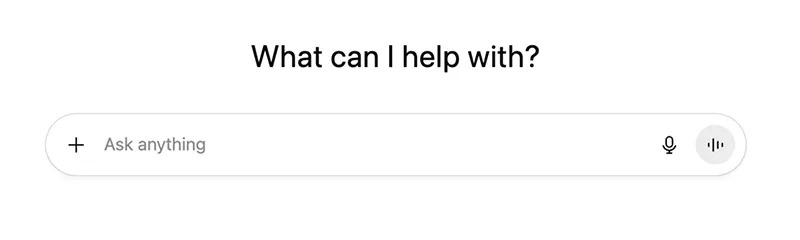
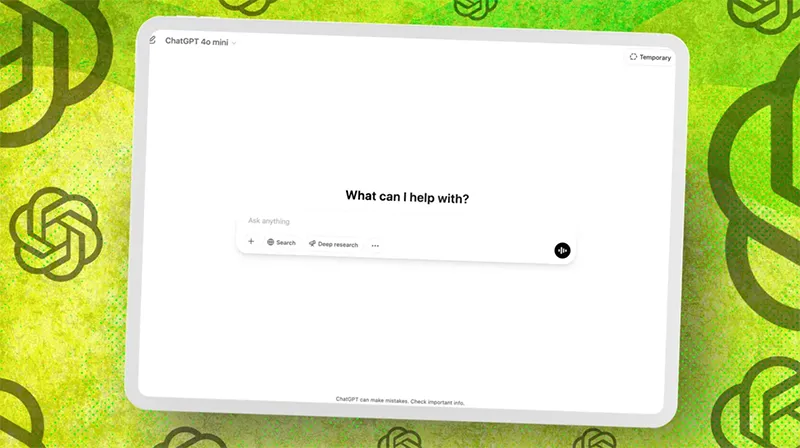
- In the input field, type your question or instruction (this is your prompt).
- Be clear and specific. The more context or detail you give, the better the answer usually is.
- You can ask ChatGPT to do things in a certain style (e.g. “explain like I’m 10,” “bullet points,” “formal tone,” etc.).
- For more complex tasks, you can break into steps or iterative prompts (ask for an outline first, then expand, etc.).
- After ChatGPT responds, you can continue the conversation (e.g. ask “why?”, “give me more detail,” or refine).
Interact, Refine, and Iterate
- If the response is not quite what you wanted, you can rewrite or clarify your question.
- Use follow-up prompts: “Can you adjust this?” or “What about X instead?”
- You can ask ChatGPT to reduce or simplify output, or to expand certain parts.
- You can also upload documents or images (depending on the interface) for ChatGPT to analyze or comment on, if supported.
Use Plugins/ Tools (When Available)
- In more advanced versions, ChatGPT supports plugins or tool integrations: e.g. web search, spreadsheets, APIs, external services.
- For instance, the Deep Research mode is designed to help with deeper information gathering.
- You might also connect ChatGPT to content / productivity apps (depending on your platform) to do things like generate reports, automate workflows, or fetch real-time data.
Review, Edit & Fact-Check
- Always review the output. AI models may hallucinate or produce incorrect statements.
- For critical uses (e.g. professional writing, publishing), double-check facts.
- If needed, ask ChatGPT to cite sources or provide references (if enabled).
- Edit for tone, coherence, and style to match your audience.
You may be interested Why is chat gpt not working? Common Issues and Fixes
Download/ Copy/ Use the Output
- Once satisfied, copy or export the text (or generate files, depending on the interface).
- Use it in your work: blog posts, emails, reports, code, etc.
- Save sessions or prompt templates that work well so you can reuse them.

Manage Settings & Privacy
- In many ChatGPT deployments, you can configure settings (e.g. conversation memory, data sharing preferences).
- OpenAI allows users to opt out of having their conversation data used for model training.
- Be careful about entering sensitive personal or proprietary information.
Tips & Best Practices
To get the most out of ChatGPT, here are tips and prompt strategies:
- Start with an outline prompt: Ask for a structure, then ask ChatGPT to fill in.
- Be explicit about style: e.g. “Write in friendly tone,” “use bullet points.”
- Specify length or depth: “Write a 500-word summary,” or “explain in detail.”

- Provide context or examples: e.g. “Here is my draft, rewrite it”
- Ask for multiple variations and then pick or combine.
- Chain prompts: Use earlier responses to feed later ones.
- Use “role play” style prompts: e.g. “You are a teacher explaining this to a student.”
- Ask ChatGPT to critique its own answer, identify omissions or additional questions.
These tactics mirror suggestions found in guides like the one by Analytics Vidhya. Also, Zapier’s “How to use ChatGPT” article emphasizes interacting, refining, and iterative prompting.
You may be interested The Best ChatGPT Alternatives in 2025
What Is ChatGPT Used For? (Use Cases & Applications)
One of the most common questions is: what is ChatGPT used for? The answer is: almost anything involving text, ideas, or structured content. Below are many real-world and creative use cases.
Content Creation & Writing
- Blog posts, articles, essays, newsletters
- Social media captions, posts, marketing copy
- Product descriptions, landing pages
- Scripts, stories, dialogue

Summaries, Paraphrasing & Translation
- Summarize long articles or reports
- Paraphrase or rephrase content
- Translate text between languages or localize
Brainstorming & Ideation
- Topic ideas, campaign ideas, project names
- Creative brainstorming (stories, slogans)
- Problem solving, suggestion generation
Coding & Technical Help
- Generate code snippets or templates
- Debug or explain code
- Help with algorithms or logic
- Translate between programming languages

Research & Learning Aid
- Explain complex topics in simpler terms
- Compare theories, summarize studies
- Generate study guides or quiz questions
- Provide reading lists or bibliography
Business & Productivity Tasks
- Draft emails, proposals, reports
- Generate meeting agendas, notes
- Create checklists, workflows
- Data analysis (if tool integration available)
Personal & Everyday Use
- Draft personal letters, messages
- Generate meal plans, fitness routines
- Plan travel itineraries, suggestions
- Language learning practice, grammar correction

Creative & Assistive Applications
- Poetry, lyrics, creative writing
- Character / world building for fiction
- Game dialogues, scenario planning
- Role play, tutoring, conversation partner
Many users report using ChatGPT for tasks like drafting emails, rewriting messages, planning trips, checking grammar (especially for non-native speakers), etc.
Because of its flexibility, ChatGPT is a multipurpose tool that adapts to your needs, whether for work, learning, or creative projects.
You may be interested An ai overview is not available for this search
Sample Prompts & Use-Case Walkthroughs
Here are a few prompt examples to illustrate how to use ChatGPT in different domains, and what is ChatGPT used for in those cases:
Example 1: Blog Post Draft
Prompt:
“Write a 1,000-word blog post on sustainable living. Use a friendly tone, include headings and a conclusion, and reference at least three actionable tips.”
You might then ask:
“Can you add some statistics from 2025? And include a short introduction and call-to-action.”
This shows how you can incrementally refine output.

Example 2: Technical/ Coding Help
Prompt:
“I have a Python script that reads a CSV file and filters rows based on a condition. Show me an example code snippet and explain how it works.”
Then you can ask follow-up:
“What if the CSV is large (10 million rows)? How to optimize memory usage?”
Example 3: Research & Summary
Prompt:
“Summarize the key findings of the latest IPCC climate change report in 300 words.”
Then:
“Can you provide 5 bullet-point implications for Southeast Asia?”
Example 4: Business Task
Prompt:
“Draft an email proposal to a potential client offering social media marketing services. Keep it professional and persuasive, 200–300 words.”
You can then refine tone, call to action, or add attachments, etc.

Example 5: Learning & Tutoring
Prompt:
“Explain the concept of neural networks (in AI) to a beginner. Give analogies, a step-by-step explanation, and a simple example.”
Follow-up:
“Now compare neural networks to decision trees.”
These examples illustrate a few of the many ways ChatGPT is used across writing, coding, business, and education.
Ethical, Accuracy & Use Limitations
While ChatGPT is powerful, it has limitations and responsibilities:
- Hallucinations/ Errors: It sometimes fabricates facts or references. Always fact-check critical output.
- Bias & fairness: Training data may carry biases; avoid relying blindly on outputs for sensitive topics.
- Privacy: Avoid inputting very sensitive personal data or proprietary business secrets.
- Usage limits: Free tiers may restrict usage; paid plans offer more capacity.
- Attribution & plagiarism: When using generated content, treat it as draft material. Add your own voice, check for uniqueness, and properly reference sources.
- Environment & resource impact: Use responsibly; avoid excessive or wasteful tasks.
You may be interested List of free llm models to use unlimited
Frequently Asked Questions (FAQ) About How to Use ChatGPT
- What is ChatGPT and how does it work?
ChatGPT is an advanced AI chatbot developed by OpenAI that can understand and generate text based on user prompts. It uses deep learning models called “transformers,” trained on billions of words, to predict what comes next in a sentence. This allows ChatGPT to answer questions, write content, generate ideas, and converse in a human-like way.
- How to use ChatGPT for beginners?
To use ChatGPT, go to chat.openai.com, create an account, and start typing your question or request in natural language. For example: “Write a 200-word blog introduction about interior design trends.” Press Enter — ChatGPT will instantly respond. You can refine your prompt, ask follow-ups, or change tone and style. That’s all it takes to begin.
- How to write effective prompts in ChatGPT?
Good prompts are clear, specific, and include context. Instead of asking “Write something about marketing,” say: “Write a 400-word blog post on AI marketing trends for small businesses, with examples and a friendly tone.” The more precise you are, the more accurate and useful the response.
Pro tip: Use role instructions — e.g. “Act as a travel guide,” or “You are a resume expert.”
- Can ChatGPT create original content?
Yes. ChatGPT can generate unique drafts, but it doesn’t “invent” information — it predicts text patterns based on learned data. Always review and edit outputs to ensure originality, tone, and factual accuracy before publishing.
- Is ChatGPT free to use?
ChatGPT offers a free tier using a standard model (often GPT-3.5) and a paid plan (ChatGPT Plus) that provides access to GPT-4 and more advanced features like file uploads, image input, and custom instructions. You can start free, then upgrade if you need more accuracy, longer responses, or plugins.
- How accurate is ChatGPT?
ChatGPT is very capable but not always 100% accurate. It can occasionally “hallucinate” or fabricate information. For any critical use (academic, business, or medical), double-check facts and references.
- How to make ChatGPT remember my preferences?
Recent versions of ChatGPT include memory features that can remember your preferences — such as writing tone, topic interests, or name — to personalize future replies. You can manage, edit, or delete this memory anytime in settings for privacy control.
- How much water does ChatGPT use?
According to OpenAI’s Sam Altman, each ChatGPT query uses about 0.000085 gallons of water (around 0.3 milliliters) for data center cooling. That’s roughly one-fifteenth of a teaspoon per prompt — tiny per query, but significant when billions of queries are processed globally.
- What are the environmental concerns of ChatGPT?
Running AI models like ChatGPT requires electricity and cooling, which consume water. Although each query uses a tiny amount, data centers collectively have large footprints. OpenAI and cloud providers are improving cooling efficiency and renewable energy sourcing to minimize impact.
Mastering how to use ChatGPT is the key to unlocking smarter work and endless creativity in the digital age. From writing and coding to learning and business tasks, ChatGPT empowers users to achieve more with less effort. By understanding what ChatGPT is used for, you can tailor prompts that deliver precise, high-quality results every time. And while questions about how much water ChatGPT uses highlight the importance of sustainability in AI, they also remind us to use this technology responsibly. In the end, ChatGPT is not just a chatbot—it’s a partner for innovation, productivity, and thoughtful progress.
A user-friendly AI platform that’s easy to deploy, helping SMEs automate processes, boost efficiency, and connect with customers naturally.
LIKEFLOW – Smarter AI, Faster Growth
- Phone : +1(719) 313 7576
- Email : support@likeflow.ai
- Address : 1942 Broadway St. STE 314C Boulder CO 80302




Leave a Reply