Thinking about canceling ChatGPT subscription? Whether you signed up for ChatGPT Plus, Pro, Team, or Enterprise, this step-by-step guide will walk you through every possible method to cancel your plan safely—without surprise charges.

We’ll also explore common issues users face, refund policies, and even some top ChatGPT alternatives like Team-GPT, Likeflow, ClickUp Brain, and Cabina.AI that could better suit your workflow.
Why You Might Want to cancel chatgpt subscription
Many ChatGPT users eventually realize the subscription no longer fits their needs. Here are some of the most common reasons for cancellation:
- Cost concerns – Paying $20 or more per month might not be worth it if you’re not using ChatGPT often.
- Decreased usage – You might have signed up for productivity, research, or curiosity, but no longer need it.
- Performance issues – Some users report slow response times, repetitive answers, or limited creative output.

- Privacy and data concerns – Businesses handling sensitive data often prefer to minimize third-party AI use.
- Changing needs – Your workflow or tools may have evolved, making ChatGPT less essential.
Whatever your reason, canceling your subscription is simple if you follow the right steps.
You may be interested Chatgpt unblocked for school: A Complete Guide
Before You Cancel Your ChatGPT Subscription
Before you proceed, here are a few key points to keep in mind:
- Cancel at least 24 hours before your next billing date to avoid being charged for another month.
- Refunds are generally not available for partial billing periods.
- You will keep access to ChatGPT Plus or Pro until the end of your current billing cycle.
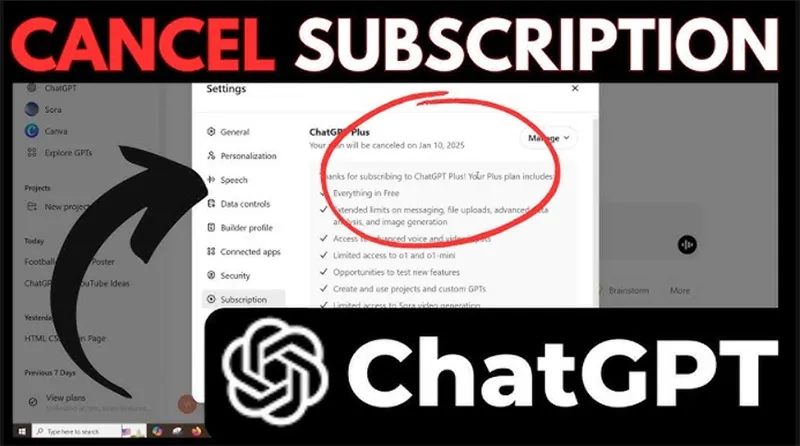
How to Cancel ChatGPT Subscription on Desktop
Your cancellation steps will depend on how you originally subscribed—via the OpenAI website, App Store, or Google Play.
Cancel ChatGPT Plus or Pro on the Website
If you subscribed directly on the OpenAI website, follow these steps:
- Go to chat.openai.com and log in.
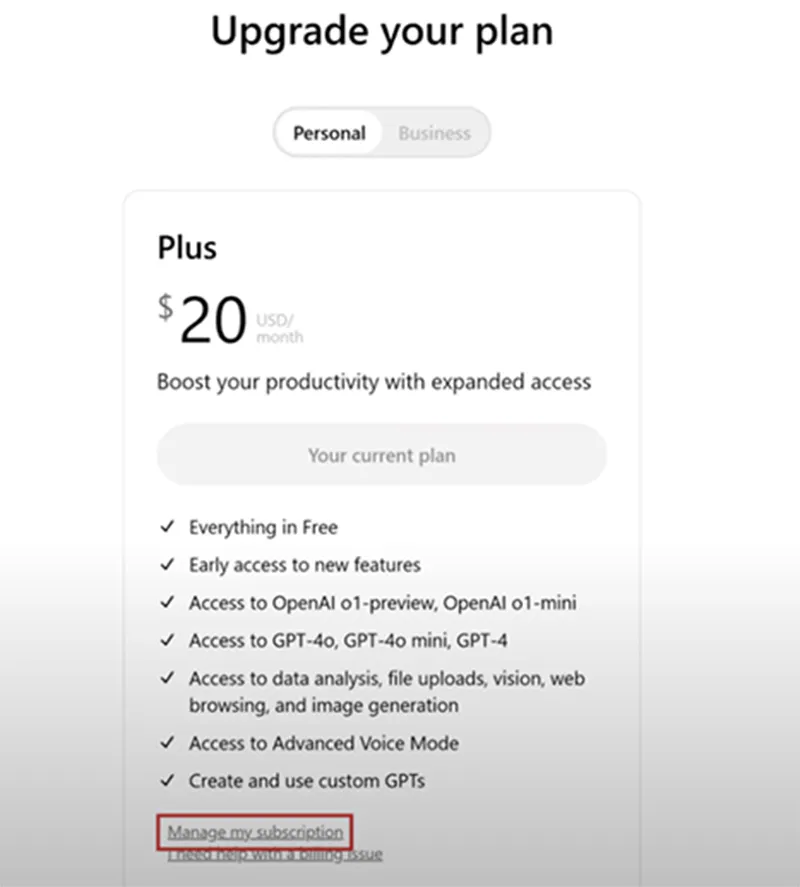
- Click your profile name or the “My Plan” option in the sidebar.
- Select “Manage my subscription.”
- You’ll be redirected to the Stripe billing page.
- Click “Cancel Subscription” and confirm.

Note: Only ChatGPT Plus and Pro users see the “My Plan” option. Team and Enterprise users must follow a different process.
You may be interested How to bypass chatgpt filter (9+ Ways)
Cancel ChatGPT Team Subscription
If you’re on the ChatGPT Team plan, here’s how to cancel:
- Go to your Account Settings.
- Click “Manage subscription.”
- Find your Team Plan details.
- Select “Cancel Plan.”
- Follow the prompts to confirm.
You’ll receive a confirmation email once your cancellation is processed.
Cancel ChatGPT Enterprise Subscription
Canceling ChatGPT Enterprise works differently because it involves your organization’s service contract.
You must contact OpenAI’s account management team directly. Some enterprise contracts include a 30-day notice or require a formal cancellation request, depending on your agreement.
There’s currently no public self-service option for canceling Enterprise plans.
You may be interested AI Chat Pro: The Smart AI Assistant
How to Cancel ChatGPT Subscription on Mobile
For iPhone (iOS) Users
If you subscribed via the Apple App Store:
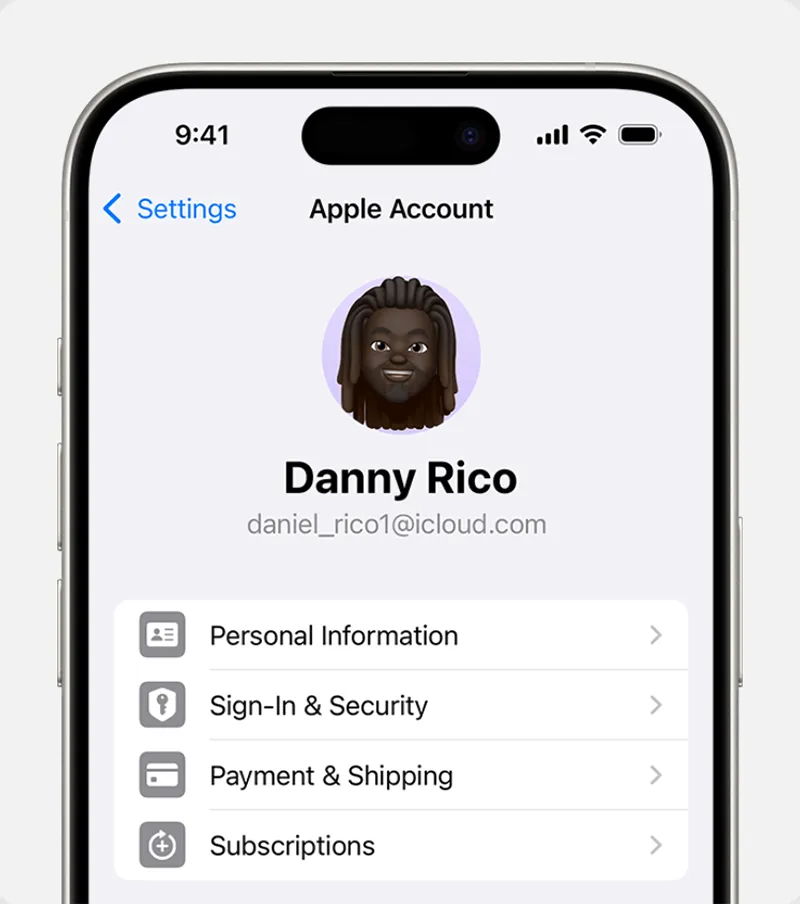
- Go to Settings on your iPhone.
- Tap your name → Subscriptions.
- Find ChatGPT in the list.
- Tap Cancel Subscription and confirm.
Even after canceling, your subscription remains active until the end of the billing period.
For Android Users
If you subscribed via Google Play Store:
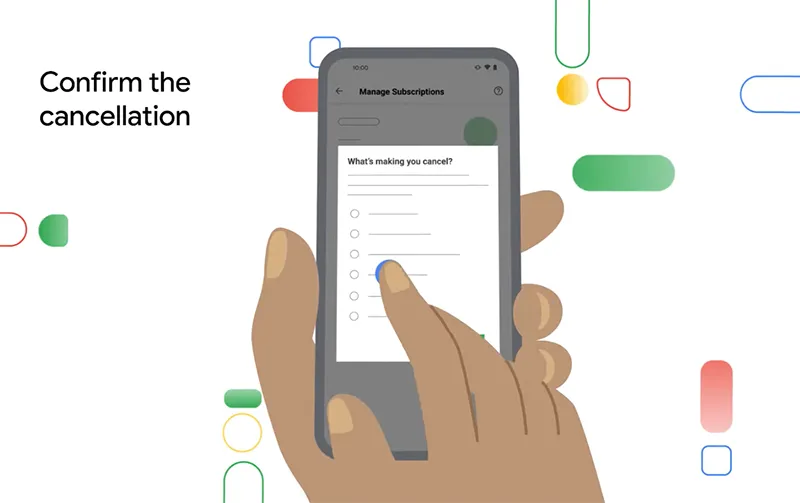
- Open the Google Play Store app.
- Tap your profile icon → Payments & subscriptions → Subscriptions.
- Select ChatGPT Plus.
- Tap Cancel Subscription and confirm.
Your plan will remain active until the current billing cycle ends.
You may be interested How does chatgpt work?
Alternative Way to Cancel ChatGPT (If the Standard Way Doesn’t Work)
Some users on Reddit have reported issues with the regular cancellation process. If that happens, here’s an alternative method:
- Click on “Add Team Workspace.”
- Scroll down to the bottom of the setup page.
- Choose “Manage My Subscription.”
- Click “Cancel Subscription.”
This method often works when the standard “Manage Subscription” button is missing or broken.

How to Verify Your Cancellation? What Happens After Canceling ChatGPT?
How to Verify Your Cancellation?
To confirm your ChatGPT subscription has been canceled:
- Log into your ChatGPT account.
- Click your profile icon → Settings → Subscription → Manage.
- Check your subscription status and billing dates.
Pro Tip: If you can’t access the Subscription page, search your email for the payment confirmation or invoice link from pay.openai.com—it will take you directly to your billing dashboard.
You may be interested How to use chatgpt
What Happens After Canceling ChatGPT?
- You’ll retain access to Plus or Pro features until your billing period ends.
- Your account will then revert to the free plan automatically.
- You will not receive a refund for unused time.

EU, UK, and Turkey users are eligible for a refund within 14 days of purchase due to consumer protection laws.
Common Problems When Canceling ChatGPT
- Missing “Cancel” Button
You might have subscribed via Apple or Google instead of the OpenAI site.
Solution: Cancel via the same platform you used to subscribe.
- “Something Went Wrong” Error
Could be a temporary issue with the OpenAI website.
Solution: Try again later, clear browser cache, or use incognito mode.

- Can’t Load Subscription Page
Browser pop-up blockers might interfere.
Solution: Disable pop-up blockers or try another browser.
You may be interested The best things to ask chat GPT: Smart, Fun, and Funny Prompts to Try in 2025
Limitations of ChatGPT & How to Contact OpenAI Support
Limitations of ChatGPT
While ChatGPT is powerful, there are some downsides:
- Occasional inaccuracies (hallucinations)
- Limited context understanding in long chats
- Biases in responses due to training data
- Usage limits even on paid plans
- No multi-model access (only OpenAI’s models)
If these limitations affect your workflow, you may want to explore a ChatGPT alternative.
How to Contact OpenAI Support
Here are three ways to get help from OpenAI:
- Help Center: Visit help.openai.com and use the chat widget (bottom-right).
- Email: Send a detailed message to support@openai.com including your account email and screenshots.
- Community Forum: Visit the official OpenAI Community for peer advice.
You may be interested Why is chat gpt not working? Common Issues and Fixes
Best Alternatives to ChatGPT in 2025
As AI tools continue to evolve, several powerful alternatives to ChatGPT have emerged in 2025, offering broader functionality, better collaboration, and more flexible pricing. Team-GPT stands out as one of the best ChatGPT replacements, enabling teams to share prompts, collaborate in real time, and access multiple AI models like GPT-4, Claude, and Gemini in one workspace.
For productivity-focused professionals, Likeflow integrates AI directly into project management, helping you automate workflows, summarize updates, and generate reports instantly. Meanwhile, Cabina.AI provides multi-model access and document intelligence at an affordable cost—perfect for users who need versatility without the premium price tag. Whether you’re a business, content creator, or researcher, these ChatGPT alternatives offer smarter, faster, and more customizable AI experiences tailored to modern needs.
You may be interested The Best ChatGPT Alternatives in 2025
Cancel chatgpt subscription only takes a few minutes — but the decision depends on your needs. Subscriptions are truly valuable when they serve their purpose — but if they no longer align with your goals, it’s time to make a smarter choice. Hopefully, this article will be helpful to you.
A user-friendly AI platform that’s easy to deploy, helping SMEs automate processes, boost efficiency, and connect with customers naturally.
LIKEFLOW – Smarter AI, Faster Growth
- Phone : +1(719) 313 7576
- Email : support@likeflow.ai
- Address : 1942 Broadway St. STE 314C Boulder CO 80302




Leave a Reply