While you can’t use Midjourney blend for free, there are plenty of free AI and photo-editing tools that deliver impressive image-blending capabilities. Whether you’re looking for AI automation, manual control, or creative flexibility, these platforms make it easy to blend images beautifully — no subscription required.
What is /blend?
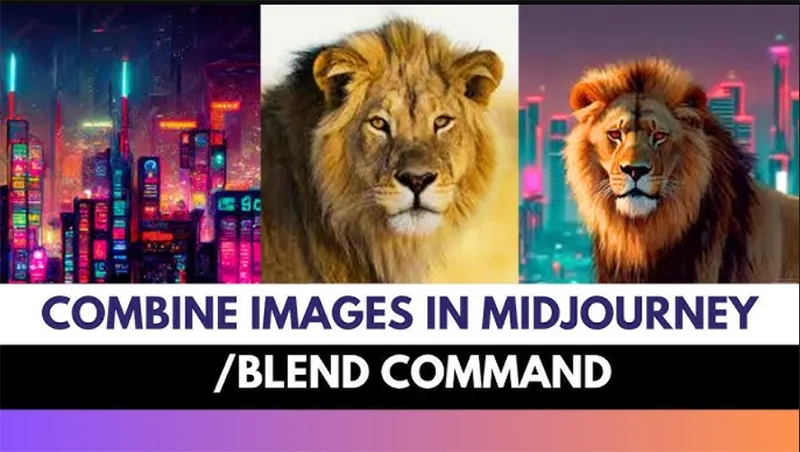
The /blend command in Midjourney allows you to merge two or more images into a completely new one. When you upload your chosen images, the AI fuses their styles, compositions, subjects, and colors into a single, cohesive creation.
For example, if you start with two different pictures, Midjourney will seamlessly blend them into a unique image that captures the essence of both — often with stunning, unexpected results.
And yes, this works perfectly with photos too.

Here’s one made by blending a portrait photo with a cyberpunk cat illustration — the result?
A wild fusion of man and machine… and maybe a touch of nightmare fuel.
Pretty amazing, right?
(Note: Some email clients may cut off this post .)
You may be interested My Most Popular AI Image Series (+Prompts)
The Dawn of AI Blending and the Midjourney Phenomenon
The landscape of digital art and content creation has undergone a seismic transformation, primarily driven by the emergence of powerful AI image generation tools. At the forefront of this revolution stands Midjourney, a sophisticated generative artificial intelligence program that converts textual descriptions—or “prompts”—into stunning, high-resolution visuals.

Midjourney has captured the imagination of artists, designers, and hobbyists alike, offering an unprecedented level of creative control and artistic fidelity. However, among its many groundbreaking features, one command stands out as a true catalyst for creative synthesis: the Midjourney blend function.
The ability to seamlessly merge the aesthetics and concepts from two or more existing images into a brand-new composite creation is not merely a technical trick; it represents a fundamental shift in the creative workflow.
Instead of starting from a blank canvas or a purely abstract text prompt, blending allows creators to build upon visual foundations, leading to intricate, personalized, and often surreal results. The blend feature leverages Midjourney’s deep understanding of compositional structure, color theory, and thematic elements, ensuring the final output is a harmonious fusion rather than a clumsy collage.
Yet, as the popularity of this tool has soared, so has the practical question underpinning its usage: is the Midjourney blend for free? The short answer is complex. Midjourney transitioned early on from a limited free trial model to a comprehensive, feature-rich subscription basis. This economic reality often leaves aspiring creators searching for accessible pathways.
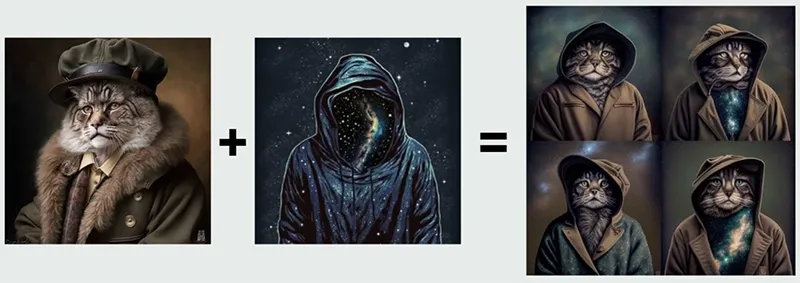
This extensive guide will not only meticulously deconstruct the technical mastery required to utilize the /blend command and its advanced counterparts but will also provide a comprehensive roadmap for those seeking practical, high-quality free Midjourney alternatives that offer similar image-to-image blending capabilities, ensuring that financial constraints do not hinder creative ambition.
You may be interested The Ultimate Guide to the Best AI Photo Generators
The Reality of “Midjourney Blend for Free”
The explicit query about securing the Midjourney blend for free touches upon the central economic reality of high-end AI image generation services. Midjourney’s exceptional quality comes at a computational cost—specifically, the need for powerful, resource-intensive Graphics Processing Units (GPUs) to run its complex algorithms. This necessity has driven the platform away from a permanent free model.
The End of the Perpetual Free Tier
Midjourney’s evolution has been marked by its shift to a compulsory subscription basis. While early versions of the platform offered a limited, permanent free trial (typically allowing a small number of fast generations), this was discontinued primarily due to overwhelming demand and significant system misuse, including the generation of vast amounts of low-quality or inappropriate content.
As of its recent iterations, the official Midjourney documentation confirms a move away from the completely unrestricted free trial. New or limited trials may appear sporadically, sometimes tied to specific platforms like the niji. journey app or promotional events, but these are often fleeting and heavily restricted.
When a trial is available, it typically offers only a small allocation of GPU time (e.g., 0.4 GPU hours, equivalent to roughly 25-30 generations), a volume that quickly disappears when experimenting with complex processes like the Midjourney blend or upscale features.
Therefore, for any user requiring consistent, high-volume access to the Midjourney blend feature, navigating the subscription basis is mandatory.
Understanding the Subscription Basis
Midjourney offers various paid plans (Basic, Standard, Pro, and Mega) which determine the amount of “Fast” GPU time and access to “Relax” (unlimited but slower) generation mode.
| Plan Feature | Relevance to Blending & “Free” Query |
| Fast GPU Time | Directly consumed by every /blend or /imagine command. Essential for quick creative iteration. |
| Relax Mode | Available on Standard+ plans, offering unlimited generations (though slower) once the Fast time runs out. The closest thing to “unlimited for free” generation within the paid ecosystem. |
| Stealth Mode | Available on Pro+ plans. Keeps images private. Relevant if the images used in the image prompts are sensitive. |
The reality is that to effectively integrate Midjourney blend into a serious or professional creative workflow, one must subscribe. For those strictly seeking a permanent for free solution, the focus must shift entirely toward alternatives that operate on a different financial model.
You may be interested AI Image Search: The Future of Visual Discovery
How to use /blend?
Let’s be honest – Midjourney’s blend command isn’t exactly a productivity tool. It’s unpredictable, messy, and far from precise enough for serious creative work.
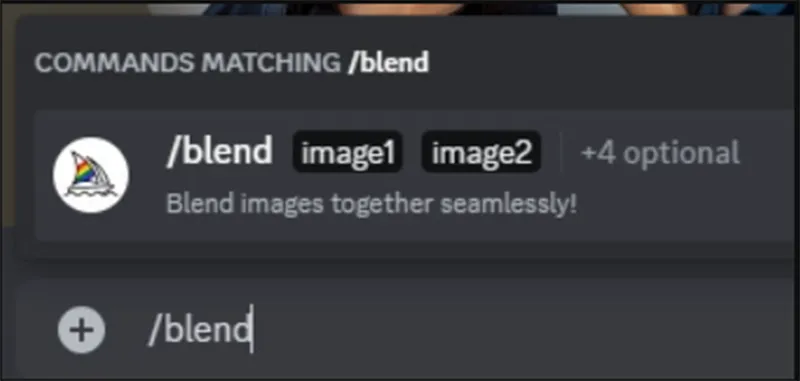
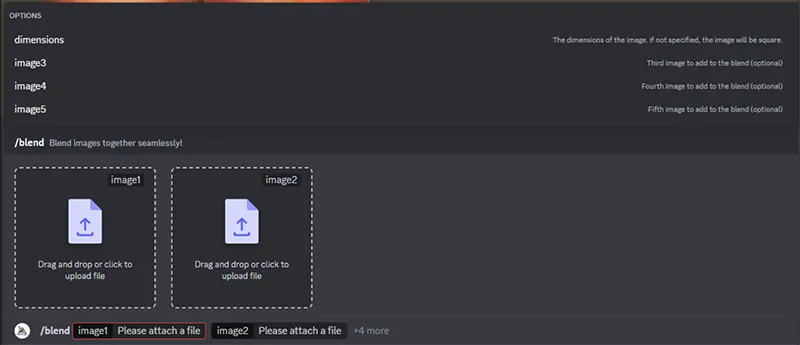

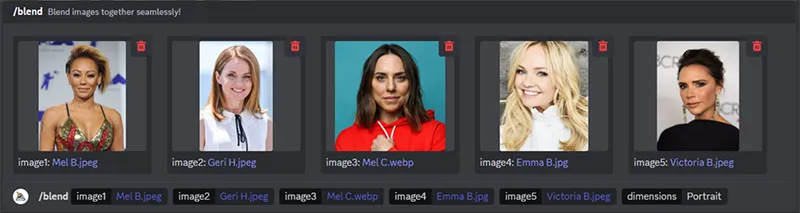
But that’s also what makes it so much fun. It’s a playground for inspiration, experimentation, and pure chaos. Here’s how people (myself included) love to use it:
Visualizing Someone in a Movie Role
Imagine you’re a casting director trying to picture a certain actor in a role before making the call. You could rely on your imagination… or just let /blend do the visual thinking.
Say you’re considering Brad Pitt as Achilles in an epic movie about Troy (yes, I know — bear with me). You could generate an image of Achilles, blend it with Brad Pitt’s headshot, and voilà:
Achilles cinematic still + Brad Pitt = Brad Pitt in bronze armor.
Does it work? Let’s just say… not quite.
Of course, for celebrities like Brad Pitt, you can just prompt Midjourney directly:
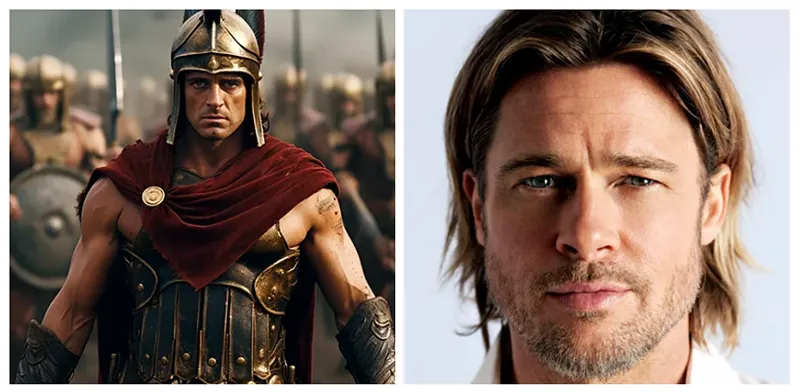
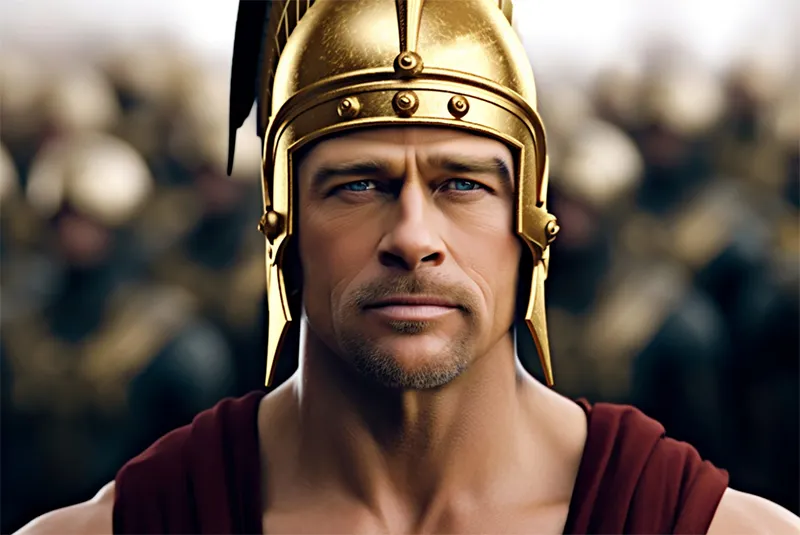
Brad Pitt as Achilles, cinematic movie still
The result will look way better.
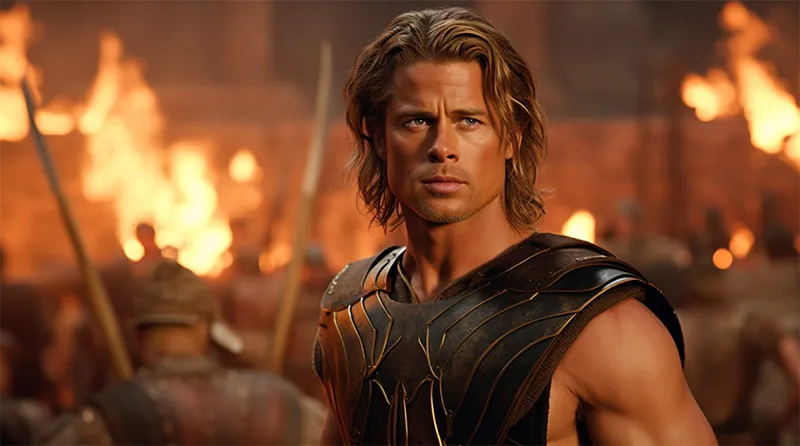
But for people not already in Midjourney’s training data, the /blend command is a handy workaround.
Virtual Try-Ons
Ever wondered how you’d look in an ugly Christmas sweater, a Hawaiian shirt, or a formal business suit? (Hopefully not all at once.)
With /blend, you can upload a photo of yourself and merge it with these outfits to get a rough idea.
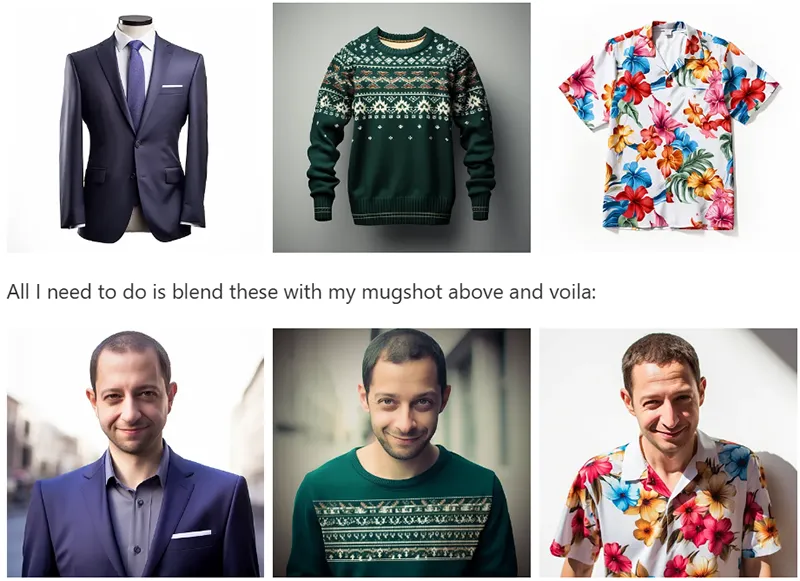
Will it look perfectly realistic? Probably not. Will it confirm that wearing clothes isn’t your thing? Absolutely.
Style Transfer
Dedicated tools like Adobe Firefly’s Style Match are great for applying one image’s aesthetic to another.
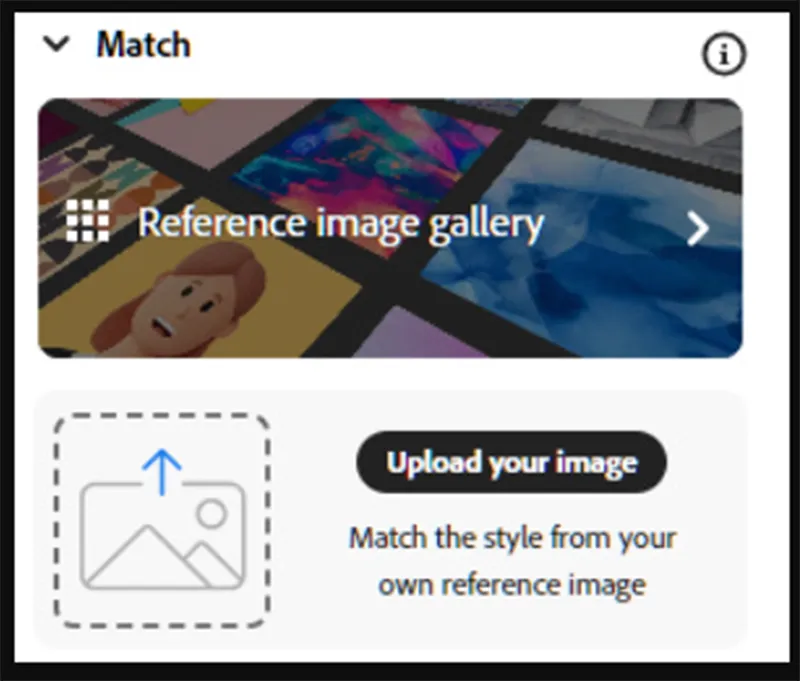
But sometimes, Midjourney’s /blend command can pull off a charmingly chaotic version of the same idea.
Try blending an abstract cubist painting with a portrait of a Dachshund, and you’ll get something adorably weird — part Picasso, part puppy.
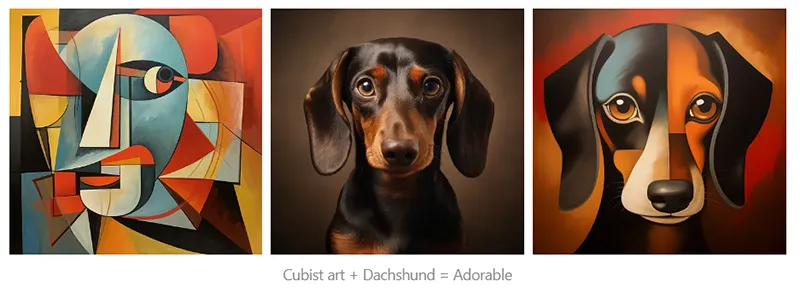
It’s less style transfer and more style fusion, but that’s part of the fun.
Hybrid Creations
Now we’re deep into mad scientist territory.
Use /blend to create unholy hybrids like:
- A giraffe + elephant → GirAAAAAAHfalant
- A chainsaw + teddy bear → Cuddle with caution
- Or worse… a giraffe + chainsaw → Someone please take Midjourney away from me.
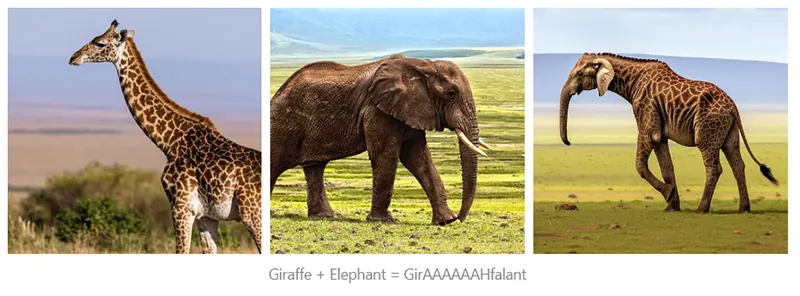
These combinations are equal parts fascinating and horrifying — but undeniably creative.
Memes
Finally, what’s life without memes?
Blend yourself (or your friends) into classics like Disaster Girl or Distracted Boyfriend for instant meme magic.
Disaster Girl + Yours Truly = I Regret Nothing.
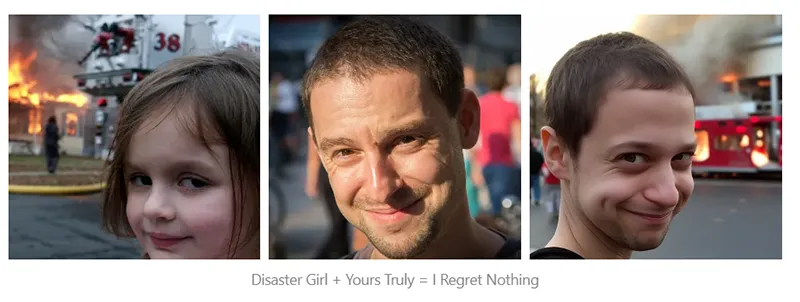
And if you thought “Me + Cyberpunk Cat” was bad… well, think again.
Exploring True Free Midjourney Alternatives for Blending
You may be interested Best AI Image Generator: Free Tools & Pro Applications
Free Midjourney Alternatives with AI Blending
Leonardo AI: Leonardo AI gives users a generous number of free daily tokens to experiment with text-to-image and image-to-image blending. It’s ideal for those who want to create detailed, artistic visuals without paying for credits.
Playground AI: Playground AI is a browser-based tool that offers a free tier for generating and editing images. With a wide range of artistic styles and customization tools, it’s perfect for creative blending and experimentation.

Microsoft Copilot with DALL·E: Powered by OpenAI’s DALL·E 3, Copilot’s image generator can be used for free. You can describe what you want through text prompts and combine elements from different images seamlessly.
Shakker AI: Shakker AI is a completely free, web-based image editor with advanced AI tools — including blending — and no watermarks. It’s great for quick edits and creative compositions.
GoEnhance AI Image Blender: GoEnhance focuses specifically on AI-powered blending. Simply upload two photos, adjust the blend strength, and download your result instantly — all for free.
Free Creative & Photo-Editing Tools with Blending Features
Canva: Even in its free version, Canva includes a “Blend Images” app. You can overlay photos, adjust transparency, and apply radial or linear blend effects with ease.
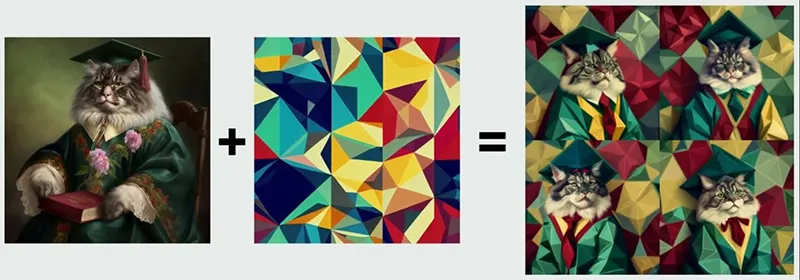
Picsart: This popular photo editor and AI generator offers a free blend tool that lets you mix multiple images and play with colors to create unique, artistic effects.
Pixlr: Pixlr’s two free editors — Pixlr E and Pixlr X — come equipped with AI-powered tools and layer controls that make photo blending simple yet powerful.
Fotor: Fotor offers a free “Photo Stitch” feature for combining images. You can customize your blends further by adjusting overlays, borders, and transparency.
LunaPic: LunaPic is a lightweight, free online editor offering a range of effects, including gradient blending for smooth, creative transitions.
GIMP: For users who prefer full control, GIMP is a professional-grade, open-source image editor. It offers extensive layer and blending options comparable to Adobe Photoshop — all without any cost.
While you can’t use Midjourney’s blend feature for free, there are plenty of free AI and photo-editing tools that deliver impressive image-blending capabilities. Whether you’re looking for AI automation, manual control, or creative flexibility, these platforms make it easy to blend images beautifully — no subscription required.
In summary, while the core Midjourney blend feature operates on a subscription basis, a wealth of powerful free Midjourney alternatives exist, such as Playground AI and DALL-E 3, that successfully replicate the process of merging aesthetics and concepts from multiple images. Mastering these tools, regardless of the platform, is key to developing a dynamic creative workflow in the rapidly evolving landscape of AI image generation.
A user-friendly AI platform that’s easy to deploy, helping SMEs automate processes, boost efficiency, and connect with customers naturally.
LIKEFLOW – Smarter AI, Faster Growth
- Phone : +1(719) 313 7576
- Email : support@likeflow.ai
- Address : 1942 Broadway St. STE 314C Boulder CO 80302

Leave a Reply